How to Fill Out a Money Order (Step by Step, With an Example)
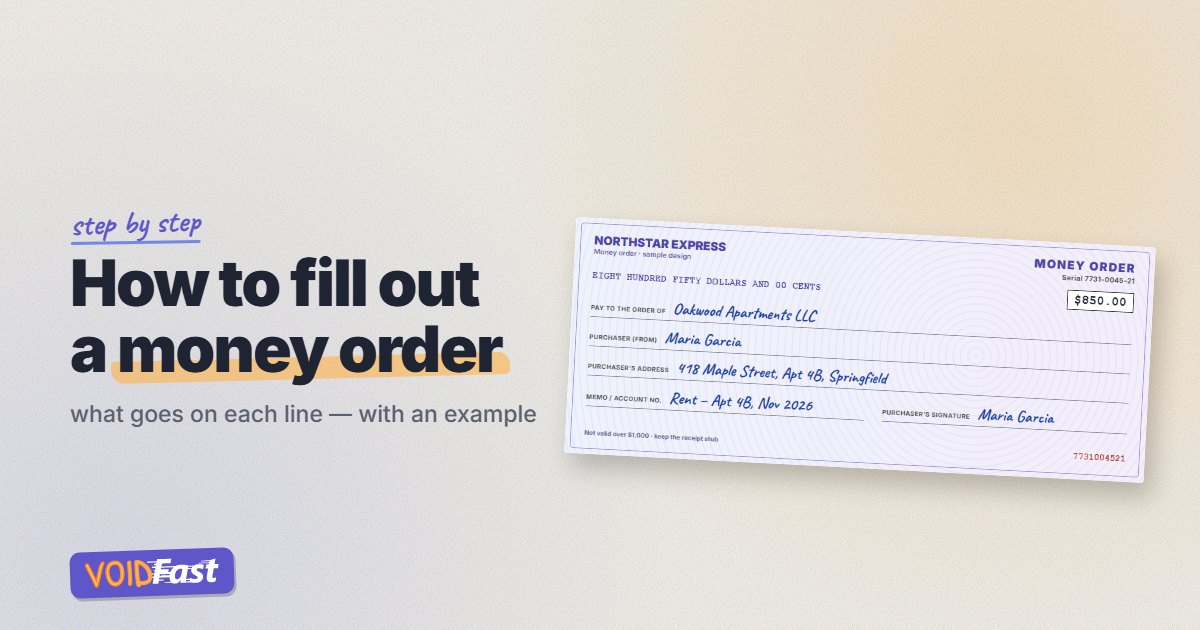
A money order is one of the easiest ways to pay rent or a bill when someone won't take a personal check — but only if you fill it out correctly. A mistake can mean buying a new one. Here's how to fill out a money order line by line, with an example, plus what to do with the receipt and what happens if you make a mistake.
Quick answer: with a blue or black pen, write the recipient's name on the "Pay to" line, your name on the "From" or "Purchaser" line, your address, and what the payment is for in the memo field. If there's a purchaser signature line on the front, sign it. Don't sign the back — that's for the person who cashes it. Keep the receipt stub.
How to fill out a money order: example
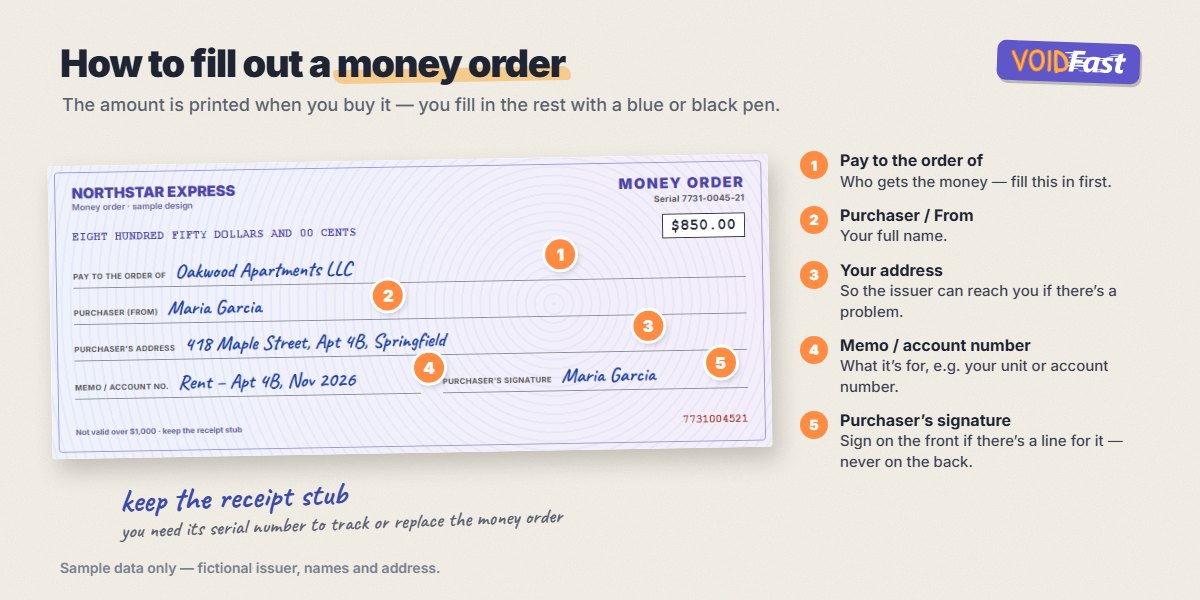
Step by step
- Check the amount. The amount is printed by the seller when you buy the money order. Make sure it's right before you leave the counter.
- Fill in "Pay to the order of". Write the full name of the person or company you're paying — for rent, ask your landlord for the exact name to use. Do this right away: until this line is filled in, anyone who gets hold of the money order could write their own name.
- Write your name on the line labeled "From", "Purchaser", "Sender" or "Remitter".
- Add your address if there's a line for it, so the issuer can contact you if there's a problem.
- Fill in the memo or account number field. Write what the payment is for — for example "Rent – Apt 4B, Nov 2026", an invoice number or your account number with the company.
- Sign the front if there's a purchaser signature line. Many Western Union and MoneyGram money orders have one, and an unsigned money order can be rejected. U.S. Postal Service money orders typically don't have a purchaser signature line. Never sign the back.
- Keep the receipt stub in a safe place until the payment has been cashed.
Where does the money order receipt go?
The receipt (the detachable stub) stays with you. It shows the money order's serial number and amount, and you'll need it to track the money order online, to prove you paid, or to ask for a refund or replacement if it's lost or stolen.
Where to buy a money order and what it costs
- Post office — at the time of writing, the U.S. Postal Service charges $2.55 for money orders up to $500 and $3.60 for $500.01 to $1,000. Domestic postal money orders are limited to $1,000 each.
- Retail stores and check-cashing locations — many sell Western Union or MoneyGram money orders. Fees and limits vary by location.
- Banks and credit unions — some sell money orders, often to account holders.
At the post office you can pay with cash or a debit card, but not with a credit card or a check. Other sellers set their own rules, and many also don't take credit cards for money orders. Need to pay more than $1,000? You can buy several money orders, or ask whether the payee accepts a cashier's check instead. See cashier's check vs money order for a side-by-side comparison.
How to fill out a money order for rent
- Pay to: your landlord's or property management company's exact name.
- From: your full name, as it appears on your lease.
- Address: your rental address.
- Memo: your unit number and the month, e.g. "Apt 4B – November rent".
Take a photo of the filled-in money order and keep the receipt — both help if your landlord says the payment never arrived.
What if you make a mistake on a money order?
Don't cross out or write over a mistake — a money order with corrections may be refused. Go back to where you bought it with the money order and the receipt. Depending on the issuer, you may be able to cancel it and get a refund or a replacement, usually for a fee, and it can take some time. Filling it out slowly at the counter is the easiest way to avoid this.
How to cash a money order you received
If someone gave you a money order, endorse it on the back like a check and deposit or cash it at your bank, the post office (for postal money orders), or a location that sells that issuer's money orders. If you cash a postal money order at a post office, wait to sign it until you're in front of the clerk. Here's how to endorse a check — the same rules apply.
Money orders and direct deposit
A money order can't be used to set up direct deposit: it doesn't show your bank account. If an employer asks for a voided check and you don't have checks, you can generate a voided check online with VoidFast — for example for Truist or Citibank.
Frequently asked questions
Who signs a money order?
The buyer signs the front, if there's a purchaser signature line. The person receiving it signs (endorses) the back when they cash or deposit it.
Do I have to sign a USPS money order?
Postal money orders typically don't have a purchaser signature line — you fill in the "Pay to", "From", address and memo fields. If your money order does have a signature line for the buyer, sign it.
What do I write in the memo line of a money order?
What the payment is for — for example your apartment number and month for rent, an invoice number or your account number.
What's the maximum amount for a money order?
U.S. Postal Service money orders are limited to $1,000 each. Other issuers set their own limits, which can be lower.
Can I fill out a money order later?
You can, but it's safer to fill in the "Pay to" line right away. A money order without a payee is almost like cash if it's lost.
Do money orders expire?
Postal money orders don't expire. Some other issuers may deduct service fees if a money order isn't cashed within one to three years — see how long is a check good for.