Mobile Check Deposit: How It Works, Limits and How Long It Takes
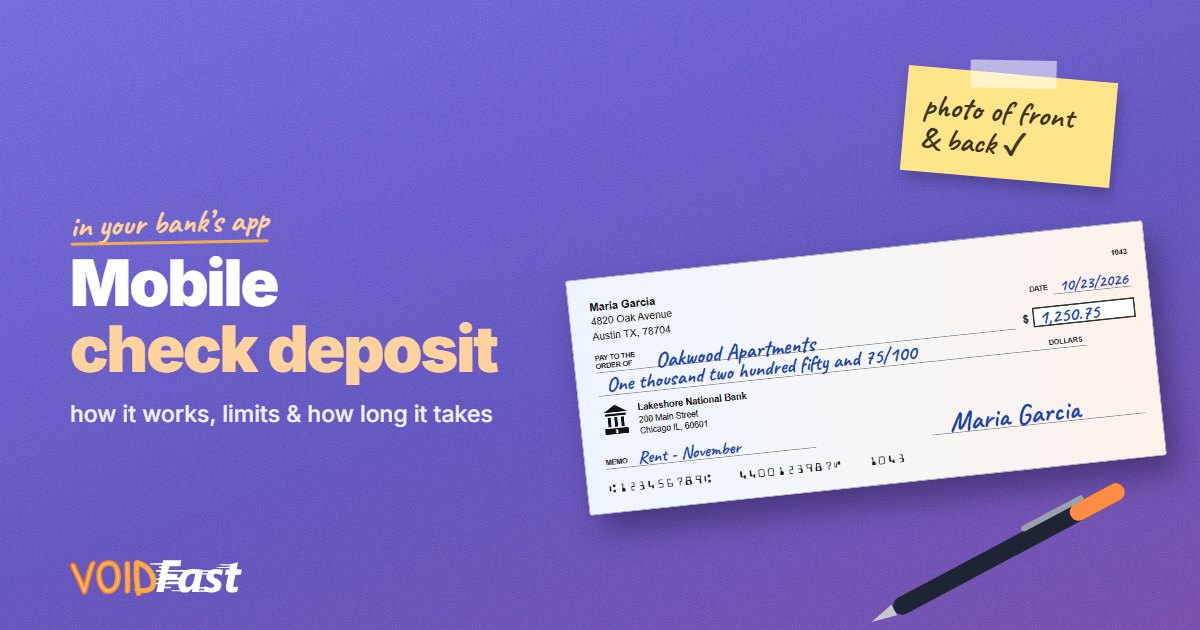
With mobile check deposit, you don't have to go to a branch or an ATM — you take a photo of the check in your bank's app and the money goes into your account. Here's how mobile check deposit works, how to do it step by step, how long the money takes to show up, and what to do with the paper check afterwards.
Quick answer: endorse the back of the check (many banks want "For Mobile Deposit Only at [Bank Name]" plus your signature), open your bank's app, choose Deposit, photograph the front and back, enter the amount and submit. How fast the money is available depends on your bank's mobile deposit policy. Keep the check until the deposit has fully posted, then shred it.
What is mobile check deposit?
Mobile check deposit (also called remote deposit or mobile deposit) lets you deposit a paper check by photographing it with your phone in your bank's or credit union's app. The bank processes the images instead of the paper check. Most banks offer it free.
How to deposit a check with your phone
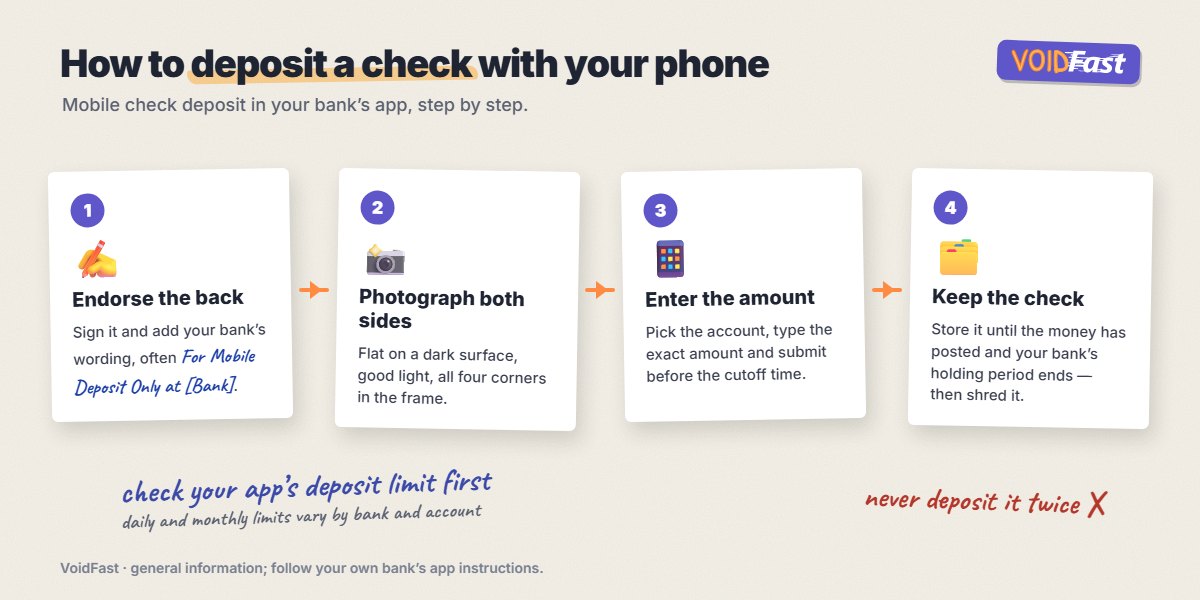
- Endorse the check. Sign the back and add the wording your bank asks for — often "For Mobile Deposit Only at [Bank Name]". If the check has a "check here if mobile deposit" box, tick it. See how to endorse a check for mobile deposit.
- Open your bank's app and choose Deposit (sometimes under "Pay & Transfer" or "Move money").
- Photograph the front and back. Put the check flat on a dark surface in good light, keep all four corners in the frame and avoid shadows.
- Choose the account and enter the amount exactly as written on the check.
- Submit before the cutoff time. Deposits after the bank's daily cutoff, or on weekends and holidays, usually count as made on the next business day.
- Watch for a confirmation in the app or by email.
How long does a mobile check deposit take?
It depends on your bank. The federal funds availability schedule that applies to deposits at a branch or ATM generally doesn't cover mobile deposits, so each bank sets its own timing in its mobile deposit agreement. Many banks make at least part of a mobile deposit available within a business day or two, but holds are common for:
- new accounts,
- large checks,
- accounts with recent overdrafts, and
- checks the bank considers higher risk.
Your app usually shows when the funds will be available right after you submit. Some payment apps offer instant availability for an extra fee.
Mobile deposit limits
Banks limit how much you can deposit by phone — per check, per day and per month. Limits vary a lot by bank and account type, and new accounts often start lower. You'll usually see your limit on the deposit screen. For a check above your limit, deposit it at a branch or ATM.
Which checks can't be deposited by phone?
Rules differ by bank, but mobile deposit commonly excludes:
- checks signed over to you by someone else (third-party checks),
- checks from foreign banks or in foreign currency,
- checks that were already deposited somewhere else,
- damaged checks or checks with changes, and
- at some banks, savings bonds, money orders or other special items.
Check your bank's mobile deposit terms for its exact list.
What to do with the check after mobile deposit
Don't throw the paper check away right after you submit. Write "Mobile deposit" and the date on the front, then keep it somewhere safe until the money has fully posted and your bank's holding period has passed — banks recommend anywhere from about a week to 90 days, so look up yours. After that, shred it. Never deposit the same check again at a branch, an ATM or another app.
Why was my mobile deposit rejected?
- Missing or wrong endorsement — the bank's required wording isn't on the back.
- Blurry or cut-off photos — retake them in better light with all corners showing.
- Amount mismatch — the amount you typed doesn't match the check.
- Over your limit — the check is larger than your mobile deposit limit.
- Ineligible check — for example a third-party or foreign check.
Be careful with checks from strangers
Mobile deposit makes it easy to deposit fake checks too. If someone you don't know sends you a check and asks you to send part of the money back, it's very likely a scam: the check can bounce days later, and you'll owe the bank the money. Only deposit checks from people and companies you know.
Setting up direct deposit instead
If you deposit the same paycheck every payday, direct deposit is easier — the money arrives automatically. Your employer will usually ask for your routing and account number, often on a voided check. No checkbook? Generate a voided check online with VoidFast — for example for Capital One or TD Bank. More in what is direct deposit.
Frequently asked questions
How do I deposit a check with my phone?
Endorse the back, open your bank's app, choose Deposit, photograph the front and back, enter the amount and submit.
What do I write on the back of a check for mobile deposit?
Usually "For Mobile Deposit Only at [Bank Name]" and your signature. Some banks have their own wording, so check the app.
How long does a mobile check deposit take to clear?
It depends on your bank's mobile deposit policy. Often within a business day or two, but holds can last longer for new accounts or large checks.
How long should I keep a check after mobile deposit?
Until the money has fully posted and your bank's recommended holding period has passed — anywhere from about a week to 90 days depending on the bank. Then shred it.
Is there a limit on mobile check deposits?
Yes. Banks set daily and monthly limits that vary by bank and account. Your limit is usually shown in the app.
Can I cancel a mobile check deposit?
Usually not from the app once it's submitted. If you made a mistake, contact your bank right away.