Direct Deposit Authorization Form: What It Is and How to Fill It Out
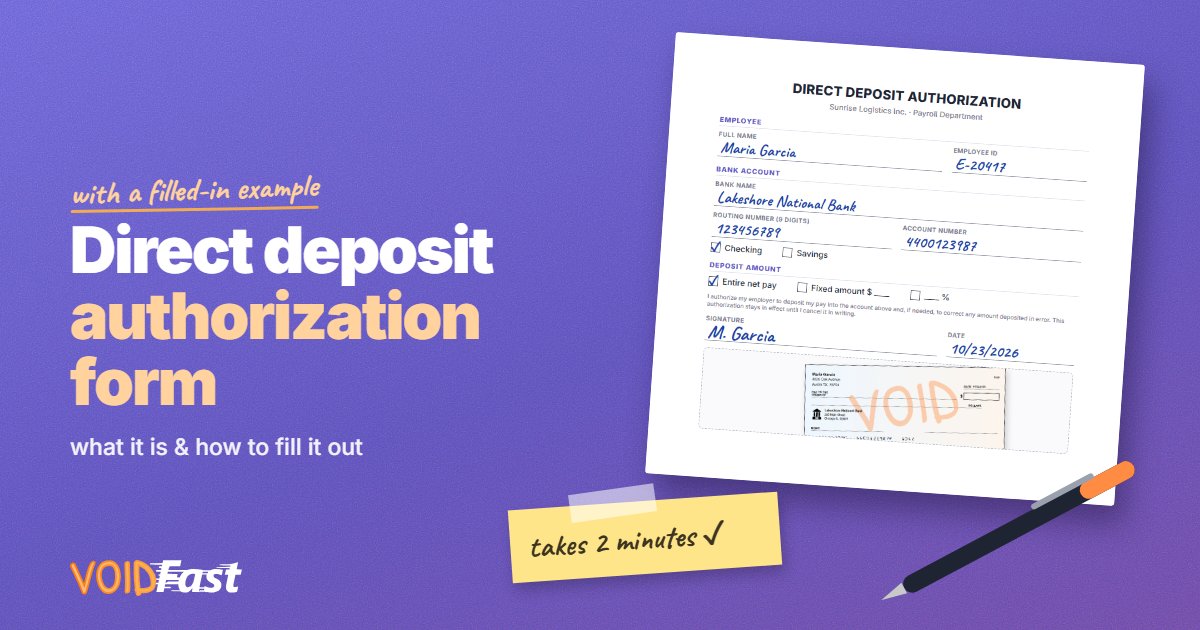
A direct deposit authorization form is the piece of paperwork that lets your employer send your pay straight to your bank account. It only takes a couple of minutes to fill out — as long as you know where to find the numbers it asks for. This guide walks through every field, with a filled-in example.
Quick answer: a direct deposit authorization form is a document where you give your employer (or another payer) permission to deposit money into your bank account, along with your bank's name, routing number, account number and account type. You usually sign it and attach a voided check or a bank letter as proof of the account.
What is a direct deposit authorization form?
It's a short form that does two things:
- It tells the payer where to send the money — your bank, routing number, account number and whether it's a checking or savings account.
- It gives your permission — your signature authorizes the payer to deposit into that account and, on most forms, to correct a deposit made in error.
Employers use it for paychecks, but you may also see one for pensions, government benefits, insurance payouts or contractor payments.
Two kinds of direct deposit forms
- Your employer's form. Provided by HR or your payroll provider. You fill in your bank details by hand or in an online portal.
- Your bank's form. Many banks offer a pre-filled direct deposit form in online banking or the mobile app, with your name, routing number and account number already on it. You download it and hand it to your employer — often instead of a voided check.
If your employer doesn't have its own form, a generic direct deposit form or your bank's pre-filled form usually works.
What you need before you start
- Your bank's name.
- Your routing number — 9 digits that identify your bank. Use the one for direct deposit and ACH, not the wire transfer number.
- Your account number.
- Your account type — checking or savings.
- A voided check or bank letter, if the form asks for one.
You'll find the routing and account numbers in your banking app, on your bank statement or along the bottom of a check. You can also look up your bank on our list of US banks and credit unions.
How to fill out a direct deposit form, step by step
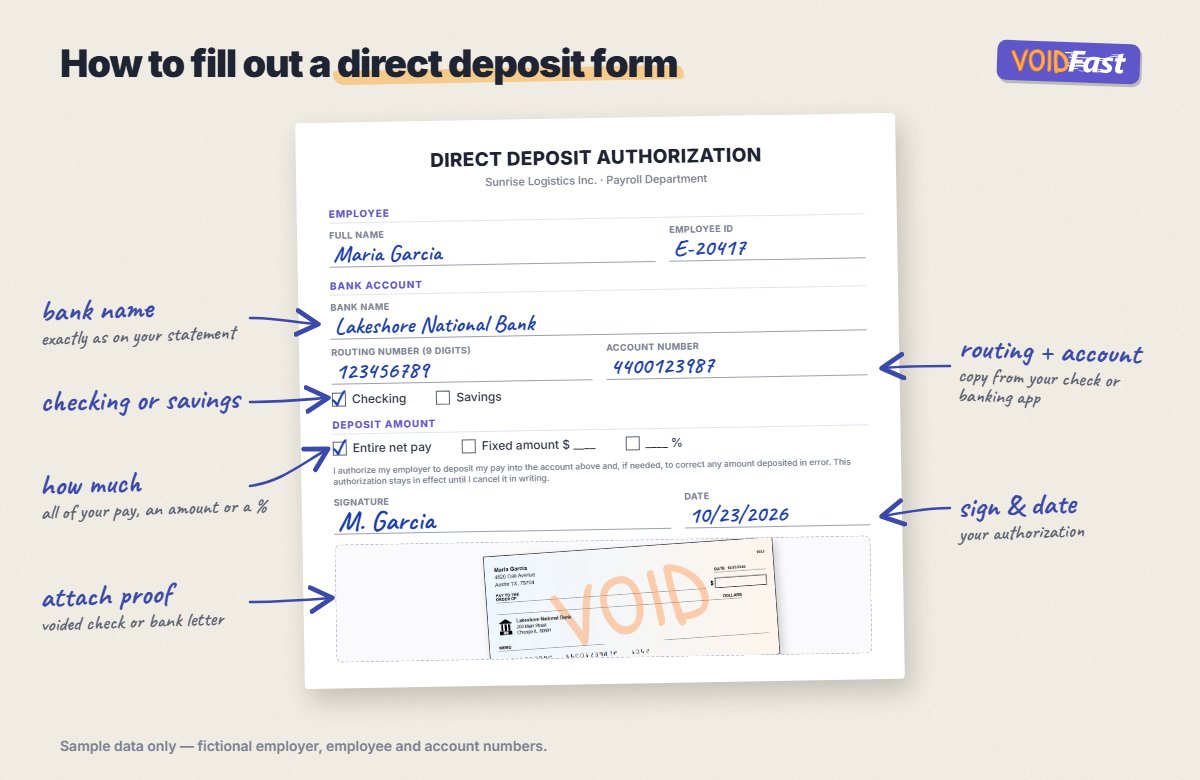
- Your details. Full name as it appears on the account, plus an employee ID if the form asks for one.
- Bank name. Write it exactly as it appears on your statement.
- Routing number. All 9 digits, copied carefully.
- Account number. Double-check it — this is where most mistakes happen.
- Account type. Tick checking or savings. If you're not sure, check your banking app.
- Deposit amount. Choose your entire net pay, a fixed amount or a percentage. Some forms let you split your pay between two accounts — for example, a fixed amount to savings and the rest to checking.
- Signature and date. Sign the form; this is your authorization.
- Attach proof. Staple a voided check or bank letter if requested, or upload a photo or PDF.
What does "branch" mean on a direct deposit form?
Some forms ask for the bank branch or the bank's address. For most US accounts the routing number already identifies your bank, so you can usually write the branch where you opened the account, or the address on your bank statement. If you're unsure, ask your bank — or leave it blank if the field isn't required.
Should you attach a voided check?
If the form says so, yes. A voided check lets payroll verify the numbers you wrote. Write "VOID" across the front without covering the numbers at the bottom, and don't sign it — see how to void a check. No checkbook? A bank letter often works instead, or you can create a voided check online with VoidFast. Our guide on voided checks for direct deposit covers all the alternatives.
Common mistakes to avoid
- Mixing up routing and account numbers. The routing number is always 9 digits; the account number length varies.
- Using the wire transfer routing number. Some banks have a separate routing number for wires.
- Choosing the wrong account type. A savings account marked as checking can cause a rejected deposit.
- Forgetting to sign. An unsigned form usually can't be processed.
- Unreadable handwriting. Write numbers clearly, or fill the form in digitally.
How long until direct deposit starts?
It depends on your employer's payroll schedule. Direct deposit often starts within one or two pay periods after you submit the form. Some payroll systems send a small test deposit first, and until it's confirmed you may receive a paper check.
How to change or cancel direct deposit
To switch accounts, fill out a new direct deposit form with your new bank details and give it to HR or update it in your payroll portal. Keep your old account open until the first paycheck arrives in the new one. To stop direct deposit completely, ask your employer — most forms say the authorization stays in effect until you cancel it in writing.
Frequently asked questions
What is a direct deposit authorization form?
It's a form that gives your employer or another payer permission to deposit money into your bank account, and tells them your bank name, routing number, account number and account type.
Where do I get a direct deposit form?
From your employer's HR or payroll department, or from your bank — many banks offer a pre-filled direct deposit form in online banking that you can download as a PDF.
Can I use a generic direct deposit form?
Often, yes, if your employer doesn't have its own. Ask HR first — some payroll providers require their own form or online setup.
Do I need a voided check with a direct deposit form?
Only if the form asks for one. Many employers accept a bank letter instead, and a pre-filled form from your bank usually doesn't need a check at all.
Can I split my direct deposit between two accounts?
Many employers allow it. You list both accounts and say how much goes to each — a fixed amount or a percentage to one, and the remainder to the other.
Is it safe to fill out a direct deposit form?
Yes, when you give it to your employer through official channels. Don't send your banking details to anyone who contacts you unexpectedly asking you to "update" your direct deposit.